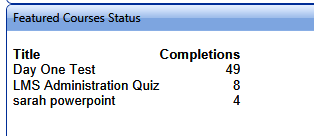
This widget displays the total number of completions for the selected course(s). A course must have at least one completion in order to be listed.
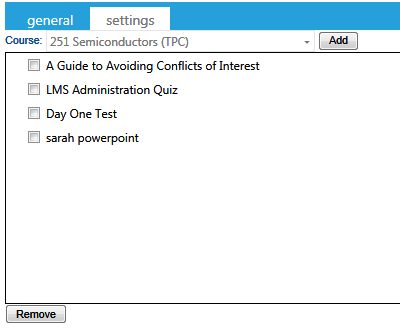
Use the dropdown menu at the top of the Settings tab to select the courses that should be featured. Click the Add button for each selection to include it in the Featured list. To remove a course, select the checkbox next to the course and click the Remove button at the bottom of the tab.